Getting started
Install, set up your boat and engine, enter the first record.
From install to your first entry. There is no account to create, and every step can be skipped and finished later in Settings.
Steps
-
Install and open
Get Vessly from Google Play, or from the App Store when the iOS version is released. Open it; nothing to sign in to.
 Coming soon to the App Store

-
Choose how to start
The welcome screen offers Set up my boat. If you are coming back to Vessly, tap Restore from a backup instead; you can also continue without a boat.

Screenshot coming · S-22 -
Tell us about your boat
Give the boat a name and pick Sail, Motor or Other. Make and model are optional. Skip for now is at the top if you would rather do this later.
-
Add your engine and its hours
Type the number from the hour meter. Hour-based tasks, like an oil change every 50 hours, count down from this reading. No engine? Skip the step.
-
Add the first entry
The ready screen summarises boat, engine and backup, and ends with Add first entry. Log the last job you did; the service history starts there.
-
Set a first task
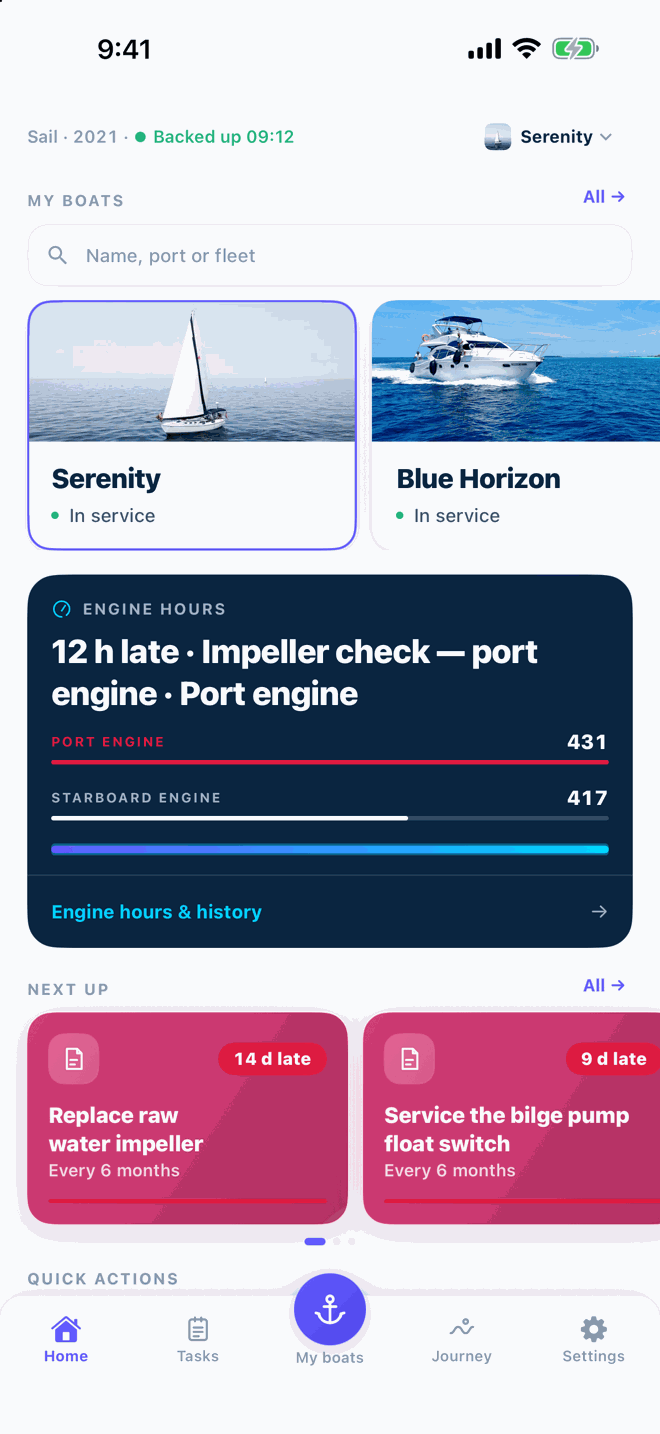
Open Maintenance and tap New task. Choose Engine hours, Calendar, or Both, which fires whichever comes first. The dashboard then shows what is due next.
Screenshot coming · S-04
Did it not work?
These answers cover the usual snags. If yours is not here, write to us with your platform, app version and a screenshot.